Liquid Glass Design Themes for 'shiny' Applications
Source:R/shinyglass-package.R
shinyglass-package.RdDrop-in Liquid Glass themes for shiny.
This is the installed usage page. help("shinyglass") and
help("shinyglass-package") open it (?shinyglass is the same page).
vignette("shinyglass") is this recipe, and
browseVignettes("shinyglass") lists that vignette.
Details
Pass glass_theme() to theme on a bslib page or fluidPage(), or
start from glass_page(). Intensity runs from 0 (Ultra Clear) to 1
(Tinted). The default is 0.5.
Minimal app
glass_page() includes Light / Dark / Auto, the intensity slider, and
accent wells, and it turns persistence on. Call observe_glass() in the
server. Keep plot backgrounds transparent and take ink from
glass_plot_colors().
library(shiny)
library(shinyglass)

ui <- glass_page(
  title = "Hello, glass",
  sliderInput("n", "Bars", 5, 30, 15),
  plotOutput("plot")
)

server <- function(input, output, session) {
  observe_glass(input, session)
  output$plot <- renderPlot({
    pal <- glass_plot_colors(input = input)
    barplot(seq_len(input$n), col = pal$fill, border = NA, col.axis = pal$ink)
  }, bg = "transparent")
}

shinyApp(ui, server)
Mobile support
The same app works on desktop and phone with no extra code. Controls are sized for touch, sidebars and popovers open and close as expected on a phone, and pages do not scroll sideways. On a desktop, each live demo has a Phone view button that shows it in a phone-sized frame.
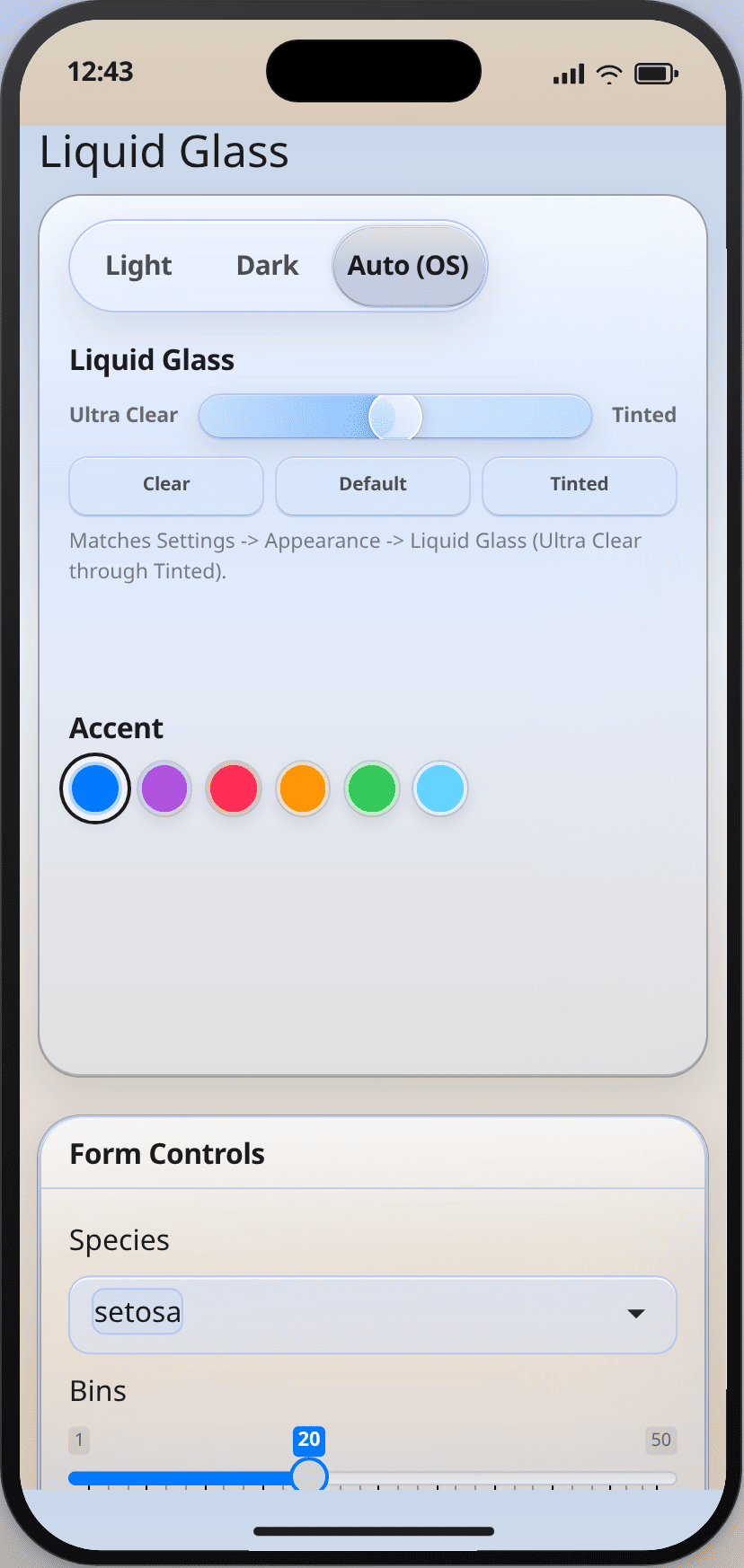
Existing app
Keep the page function you already use. Pass the theme, add the controls,
and observe them. page_sidebar(), page_fluid(), page_navbar(),
page_fillable(), and navbarPage() all take theme.
fluidPage(theme = glass_theme()) works too.
library(shiny)
library(bslib)
library(shinyglass)

ui <- page_sidebar(
  title = "Existing app",
  theme = glass_theme(preset = "auto", intensity = 0.5),
  sidebar = sidebar(
    glass_theme_toggle(),
    glass_intensity_slider()
  ),
  "Main column"
)

server <- function(input, output, session) {
  observe_glass(input, session)
}

shinyApp(ui, server)
fluidPage() and navbarPage() take the same theme:
ui <- fluidPage(
  theme = glass_theme(preset = "auto", intensity = 0.5),
  glass_theme_toggle(),
  glass_intensity_slider(),
  plotOutput("plot")
)
The server is unchanged: observe_glass(input, session).
glass_theme() does not remember choices (persist = FALSE).
glass_page() does (persist = TRUE).
Key options
| Argument | Default | Allowed |
preset | "light" on glass_theme(), "auto" on glass_page() | "light", "dark", "auto" |
intensity | 0.5 | number from 0 (Ultra Clear) to 1 (Tinted) |
primary | "#007AFF" | hex, rgb(), or a name from glass_system_colors() |
material | "regular" | "regular". "clear" is deprecated |
plot_surface | "clear" | "clear", "opaque" |
scene | "default" ("tahoe" on glass_page()) | names(glass_scenes()) |
persist | FALSE (TRUE on glass_page()) | TRUE or FALSE |
refraction, morph, press, scroll_edge, minimize_tabs | TRUE | TRUE or FALSE |
icon_style | "clear" | "clear", "color", "all" |
floating_sidebar | FALSE | TRUE or FALSE |
specular | TRUE | TRUE or FALSE. Highlights are static bands |
update_glass_theme() changes these in a running app. NULL leaves that
setting alone. When the user picks Auto, input$glass_preset stays
"auto". Plot ink must use glass_resolved_preset(), which is "light"
or "dark".
Migrating to 0.5.0
vignette("migrating") is the full note.
Default intensity moved from
0.45to0.5.material = "clear"is deprecated. Delete it and passintensity. Whenintensityis omitted, clear maps to0.12and warns. To keep that look, writeintensity = 0.12.Specular highlights no longer follow the pointer.
specular = FALSEhides them.refraction,morph,press,scroll_edge,minimize_tabs, andicon_style = "clear"are on by default.floating_sidebarstays off.Page functions and click targets stay the same.
Pitfalls
App CSS that sets panel or text colors fights the theme. Use
--glass-*tokens fromglass_css_tokens(), orglass_theme(tokens = list(blur = "28px")).Plots and tables are transparent. Pass
bg = "transparent"torenderPlot(), or setplot_surface = "opaque"when the wallpaper makes the graphic hard to read. Color ink withglass_plot_colors().observe_glass()only watchesglass_toggle,glass_intensity, andglass_accent. A custom id needs the matchingobserve_glass_*()helper.For shinyreact, name the theme:
glass_page_react(theme = glass_theme()). An unnamed theme drops the CSS.page_react_html()has nothemeargument; passextra_deps = glass_theme_dependencies().shinychat:
page_chat(theme = glass_theme()). bsliboffcanvas()uses the same material.Reduced transparency, increased contrast, and forced colors override the glass.
glass_flatten()or?glass_flatten=1removes blur for screenshots and PDF.
vignette("shinyglass") is this same recipe, installed with the package.
Author
Maintainer: Eric Anderson eric.ray.anderson@gmail.com [copyright holder]
Authors:
Eric Anderson eric.ray.anderson@gmail.com [copyright holder]
Examples
inherits(glass_theme(preset = "auto", intensity = 0.5), "bs_theme")
#> [1] TRUE